
The challenge
Small CSS changes, surprise side effects.
A plugin update or a small style change can shift a layout on a page nobody thought to check. Clicking through every page by hand before each release is slow and easy to skip.
Off-the-shelf tools were either too heavy or too generic for a team managing many WordPress sites.
The approach
How I tackled it.
-
Capture baselines
Automated screenshots of key pages at multiple screen sizes to use as the known-good reference.
-
Diff every change
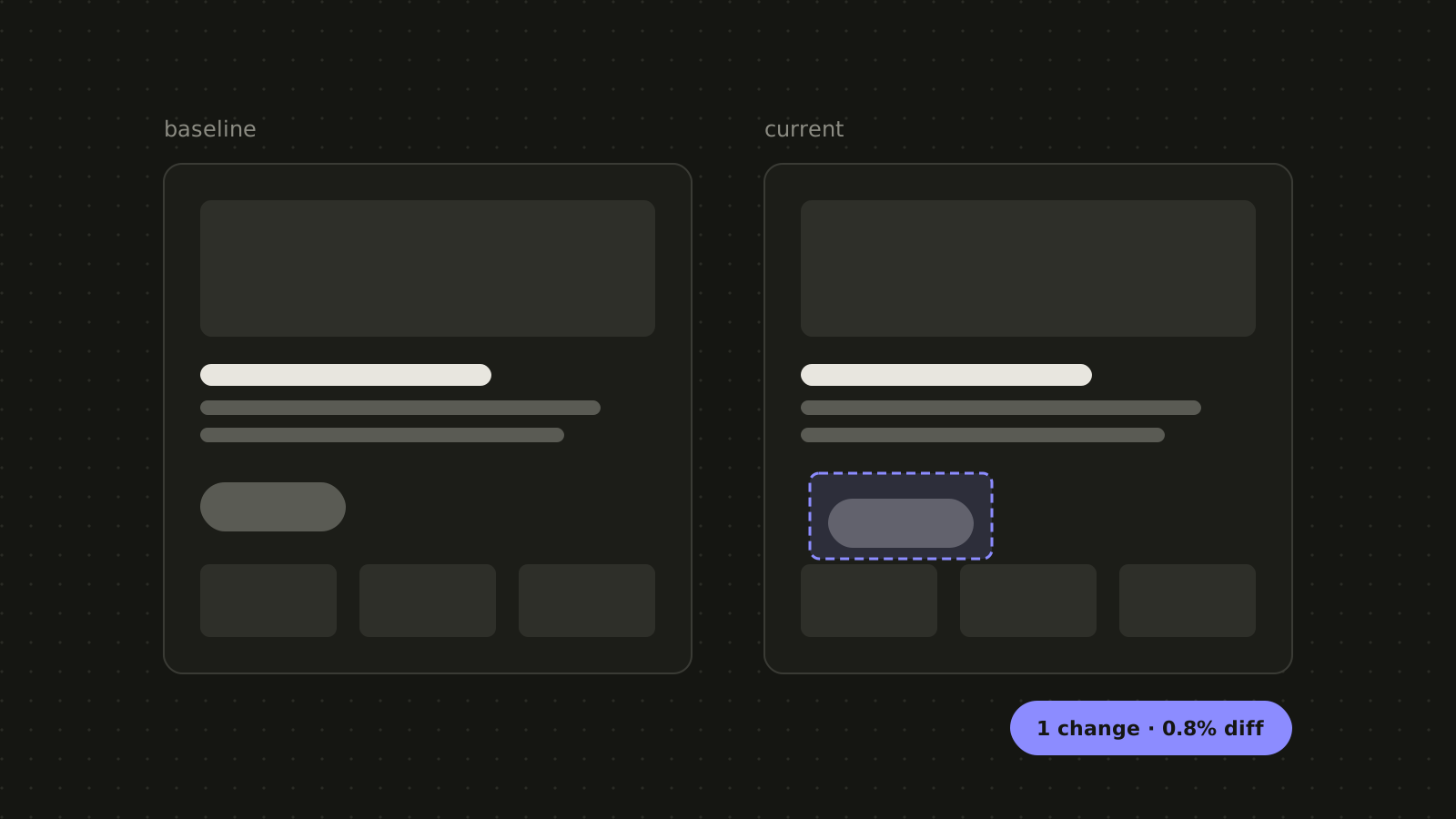
Compares new captures to the baseline and highlights the exact regions that changed.
-
Review in one place
A dashboard with logins and accounts where the team approves expected changes and flags real bugs.
What I built
Visual QA that runs itself.
- Multi-size captures Desktop, tablet and phone screenshots for each page.
- Highlighted diffs Changed areas outlined so reviewers see the problem instantly.
- Review dashboard Approve, reject and track changes across sites.
- Accounts and access Logins and account areas for the team.
The results
What changed.
Unintended visual changes get caught in review, before a release reaches the client.
- Visual changes caught early Problems show up in review, not in client emails.
- Safer releases Updates ship with evidence that nothing else moved.
- Less manual QA No more clicking through every page by hand.
Tech stack
- Headless browser
- Image diffing
- Web app
- Auth
- Dashboard